1Mellow work team
My firend, Weglad you came to our shop. We are committed to developing 3D printer accessories independently. We have 3 product lines, NF extruder series, NF hot end series and FLY motherboard series. I hope our products can bring you a better use experience. If you have any ideas (products, use, sales), please contact us.We're waiting for you.
1Description
If you have any questions, you can enter our server to communicate https://discord.gg/ZjwW3KtGj4
For more detailed information or technical assistance, please contact us at the following website:https://github.com/FLYmaker/FLY-CDY
Product parameters
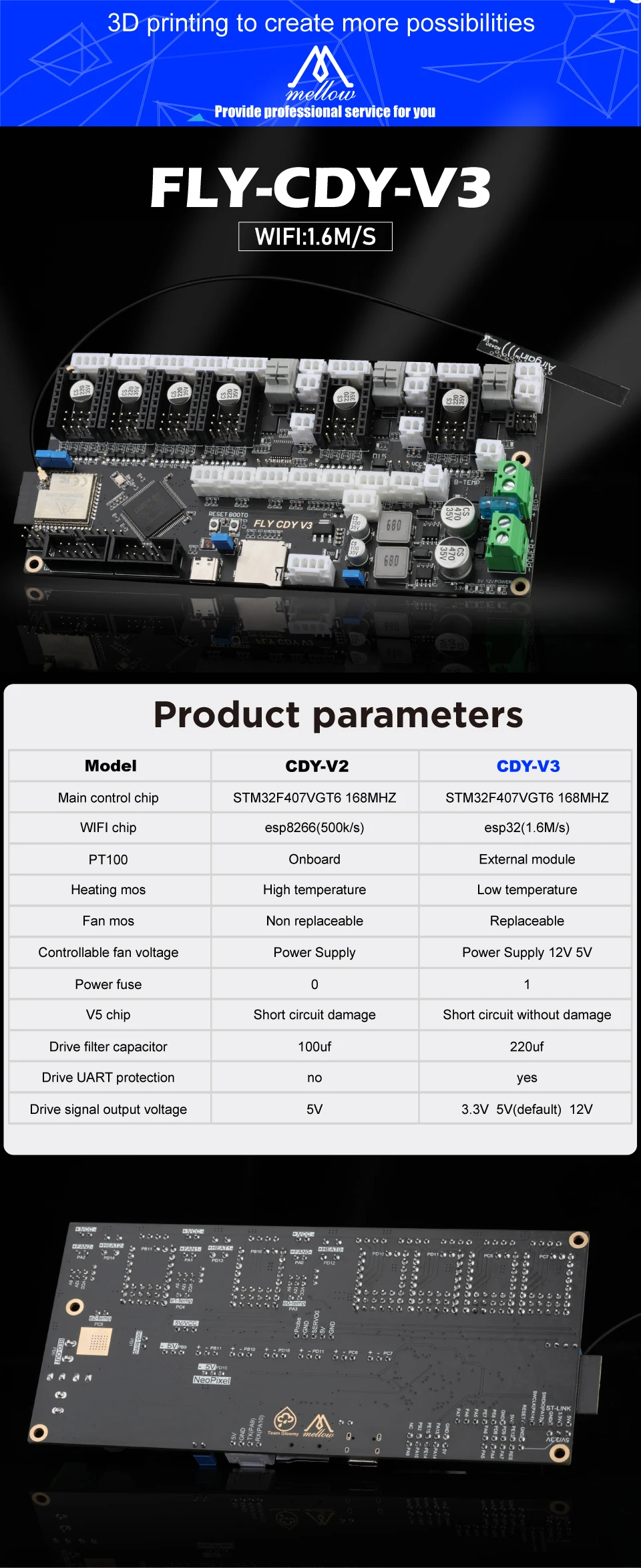
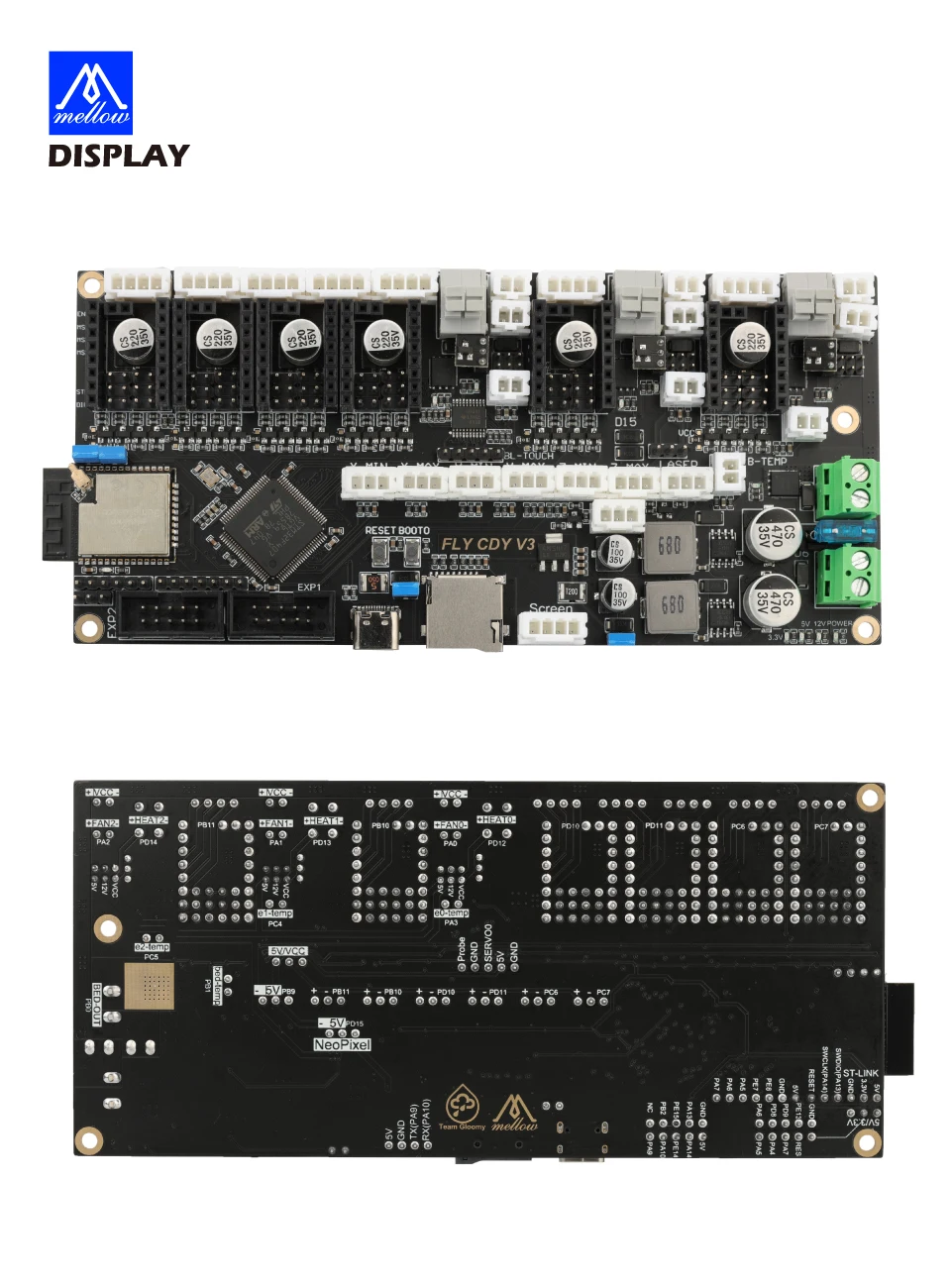
MODEl:CDY-V3
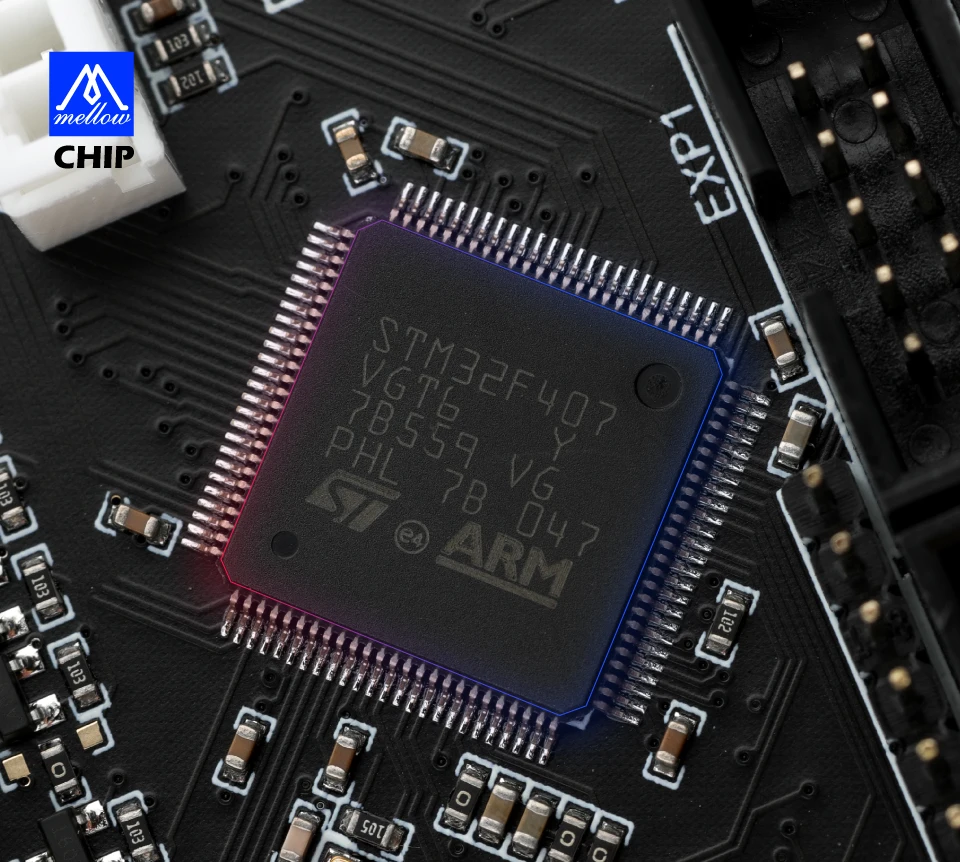
Main control chip:STM32F407VGT6 168MHZ
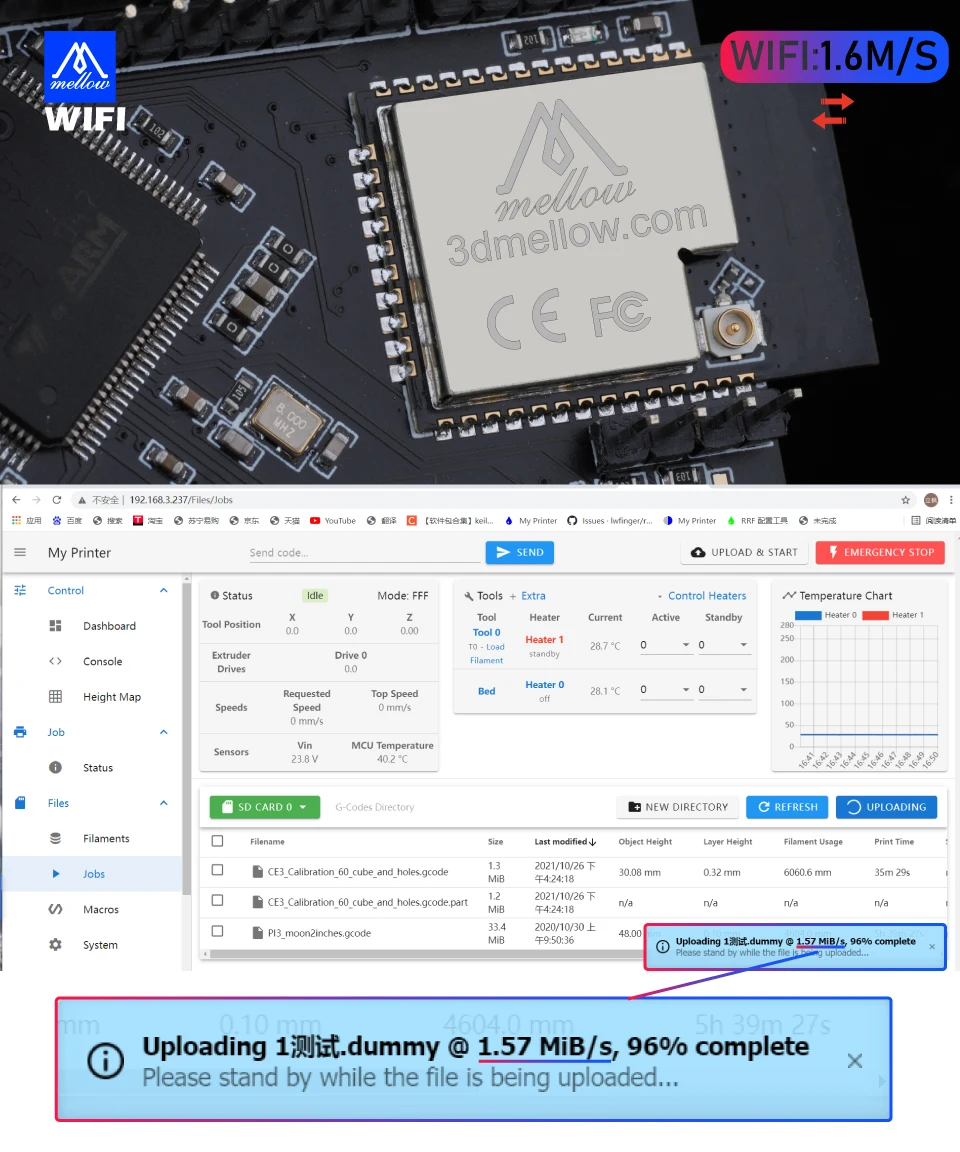
WIFI chip:esp32 ( 1 . 6M / s )
PT100:External module
Heating mos:Low temperature
Fan mos:Replaceable
Controllable fan voltage:Power Supply 12V 5V
Power fuse:1
V5 chip:Short circuit without damage
Drive filter capacitor:220uf
Drive UART protection:yes
Drive signal output voltage:3.3V 5v ( default ) 12V
Packege included
1*FLY CDY V3 Board
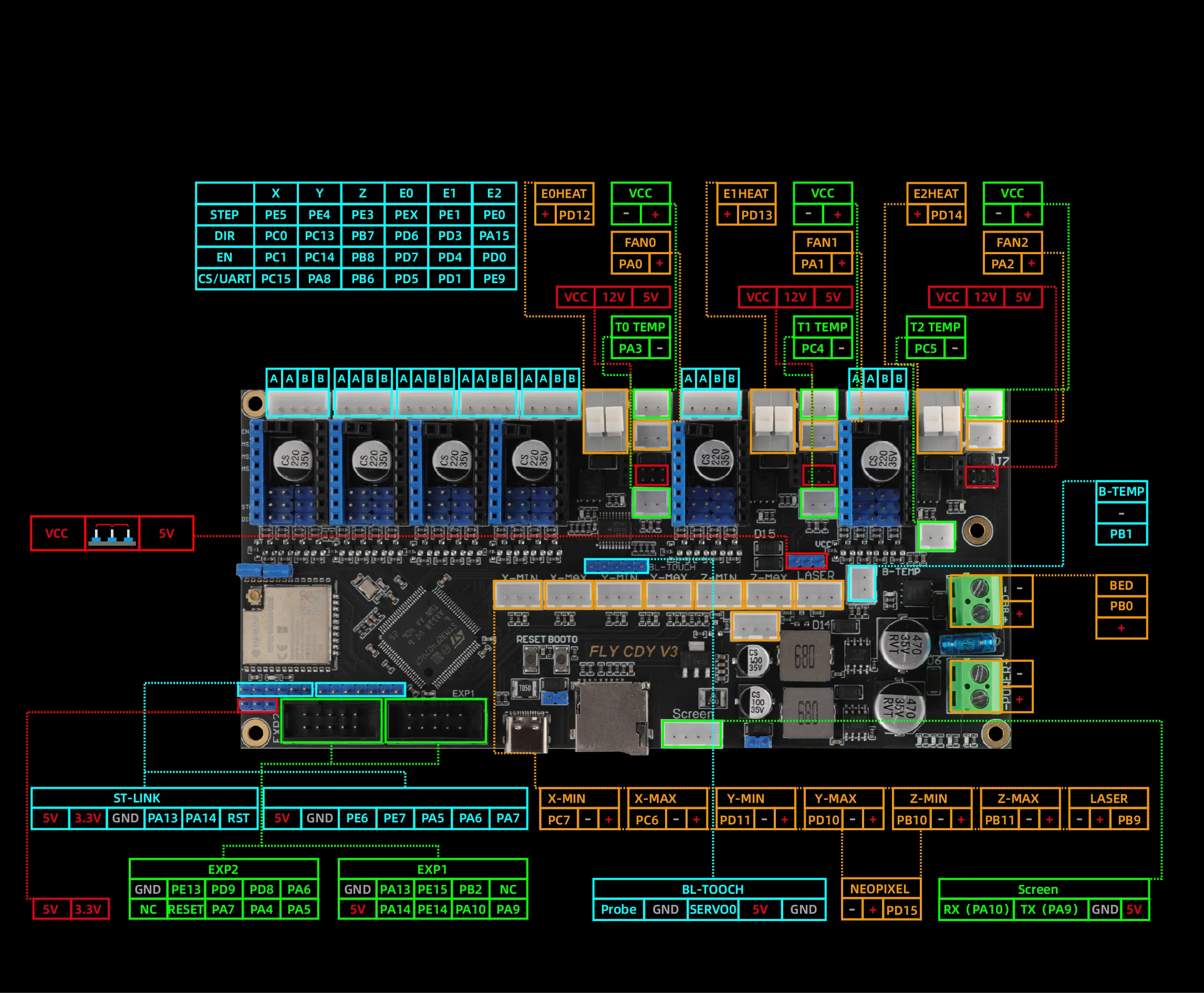
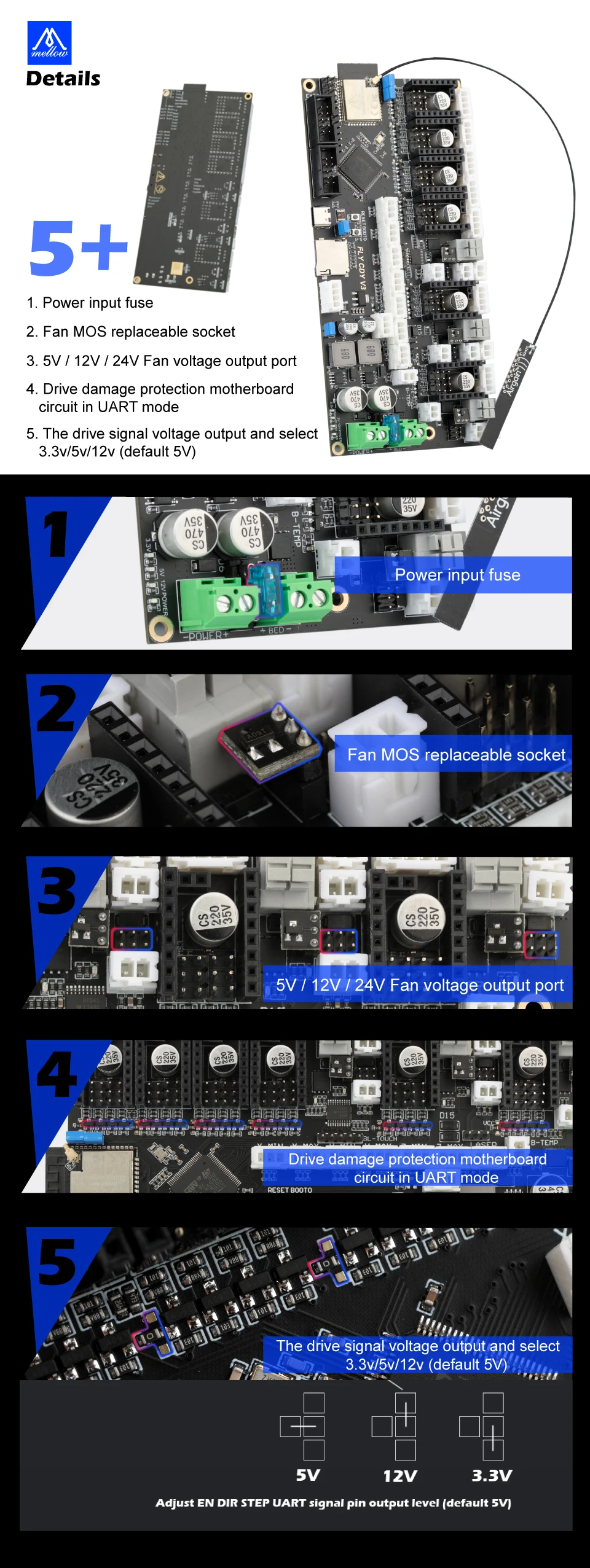
1 . Power input fuse
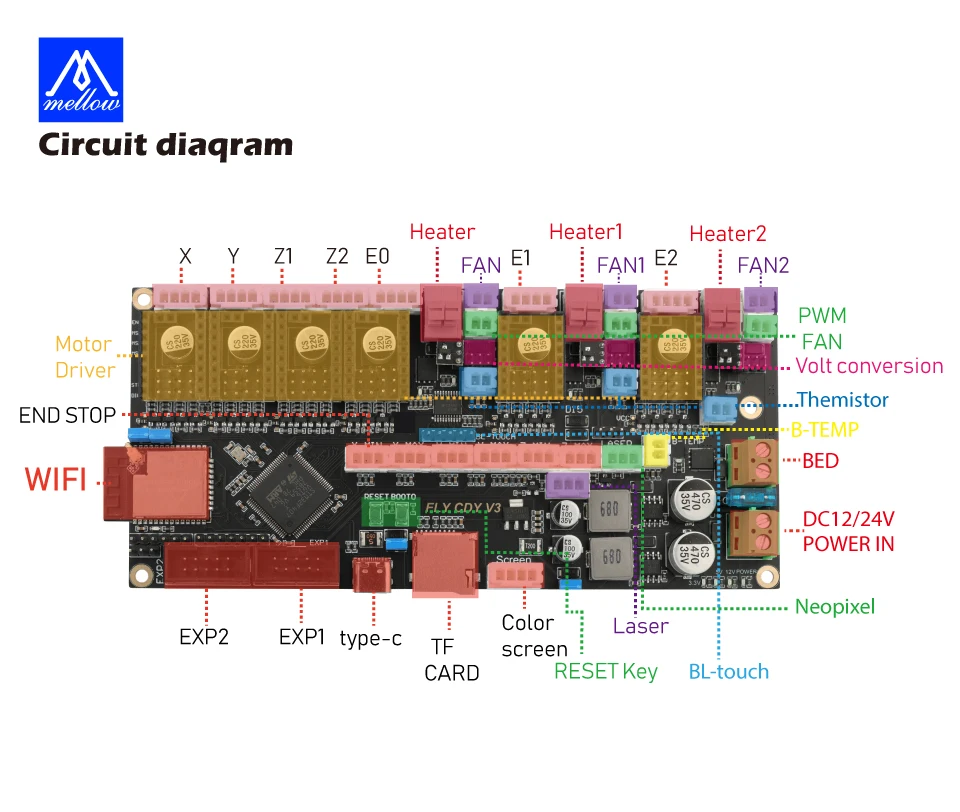
2 . Fan MOS replaceable socket
3 . 5V / 12V / 24V Fan voltage outout port
4 . Drive damage protection motherboardcircuit in UART mode
5 . The drive signal voltage output and select3 . 3v / 5v / 12v ( default 5V )
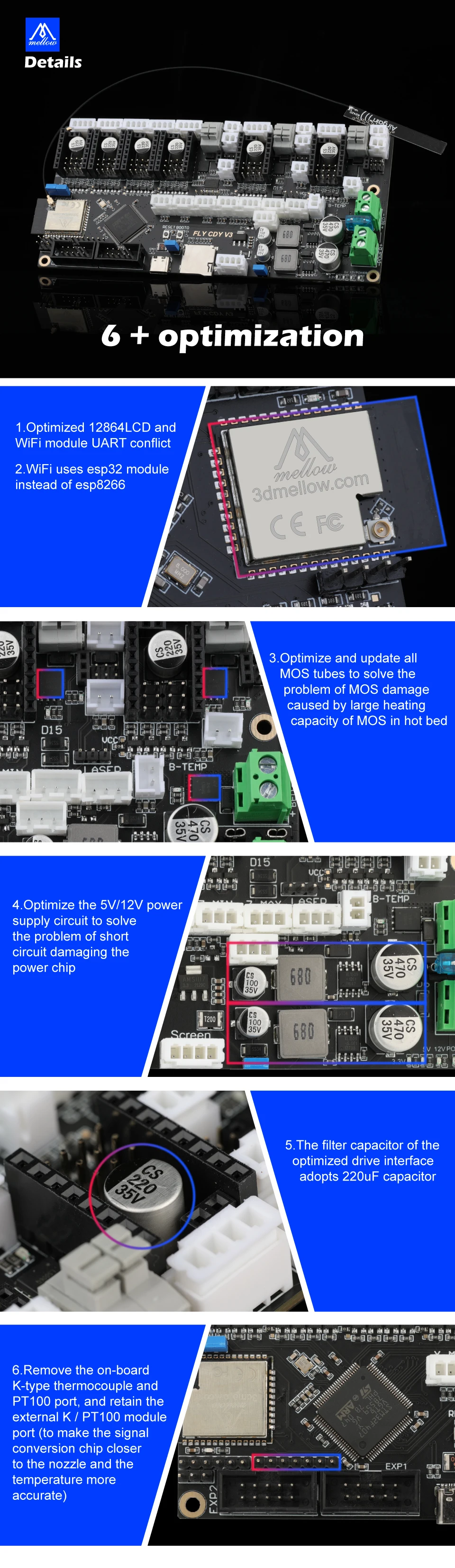
 1 . Optimized 12864LCD and Wifi module UART conflict
2 . Wifi uses esp32 module instead of esp8266
3 . Optimize and update allMOS tubes to solve theproblem of MOS damagecaused by large heatingcapacity of MOS in hot bed
4 . Optimize the 5V / 12V powersupply circuit to solvethe problem of shortcircuit damaging thepower chip
5 . The filter capacitor of theoptimized drive interfaceadopts 220UF capacitor
6 . Remove the on-boardK-type thermocouple andPT100 port , and retain theexternal K / PT100 moduleport ( to make the signalconversion chip closerto the nozzle and thetemperature moreaccurate
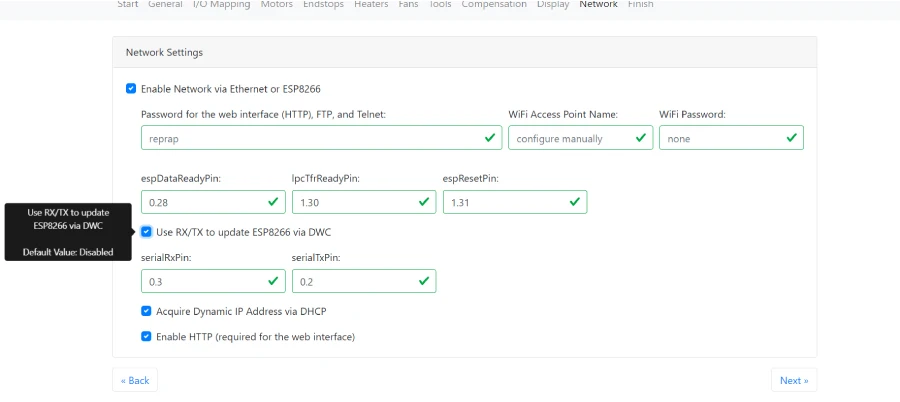
https://jaysuk.github.io/LPCConfigurator
If you want to update the wifi module firmware, please tick: Use RX/TX to update ESP8266 via DWC
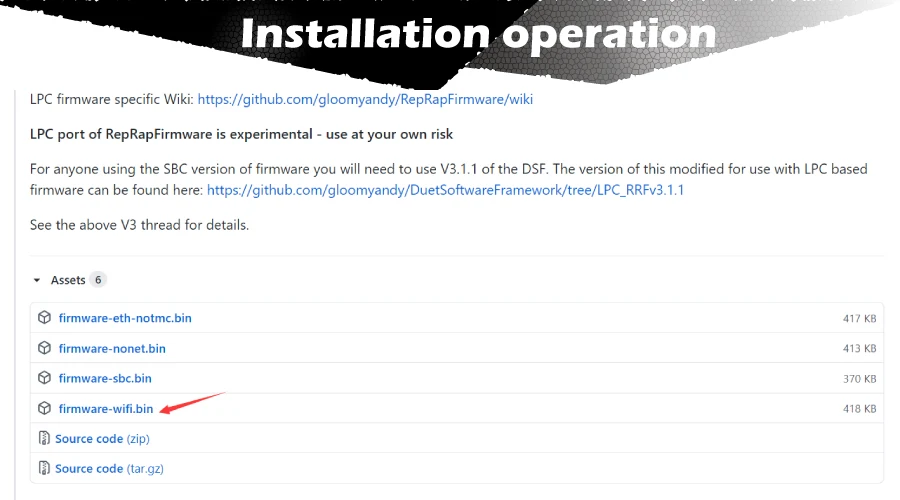
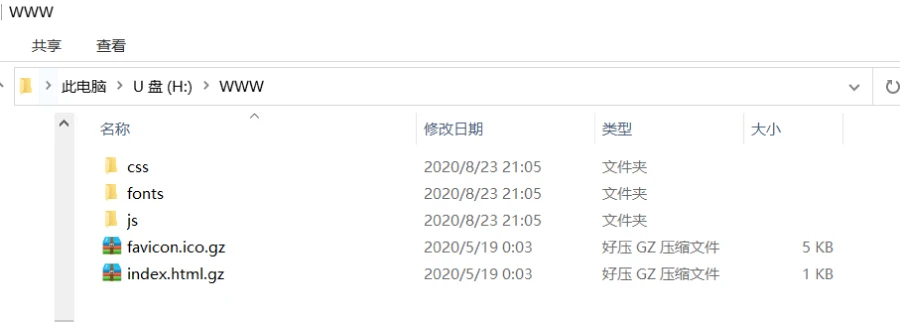
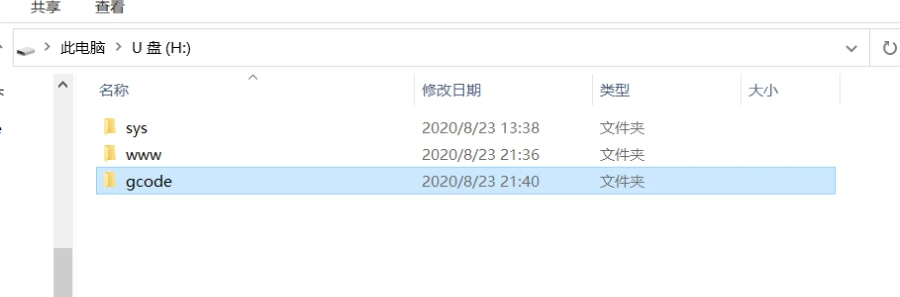
If you configure for the first time, please download Duet Web Control 3.1.1 and unzip it into the WWW folder of the memory card
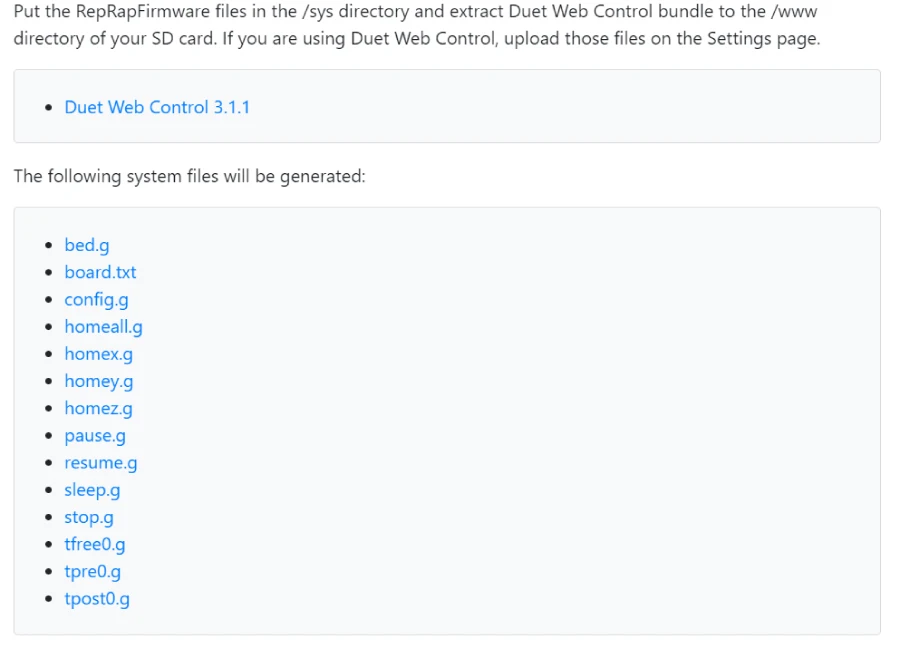
Unzip the config file and put the SYS folder into the sd card directory:
Create a new gcode folder to the U disk directory
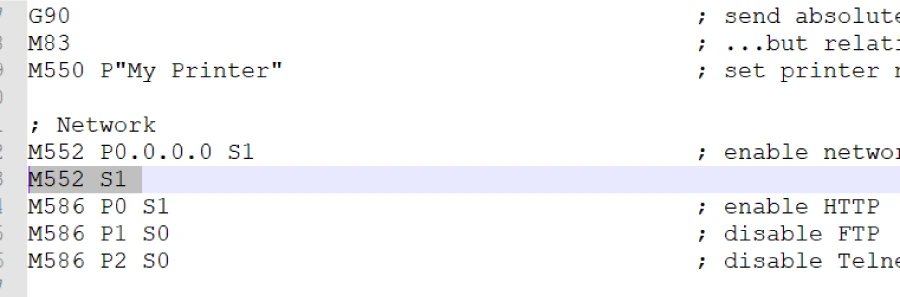
Open the sys folder and edit config.g: add M552 S1 (automatically turn on wifi after the motherboard is started) After saving, insert the sd card into the motherboard and connect the motherboard usb port to the computer
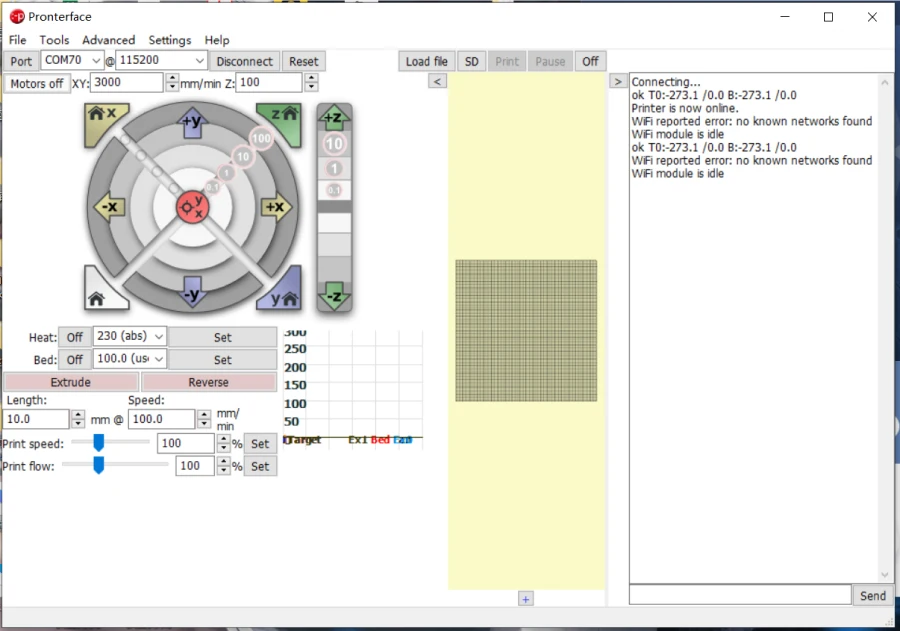
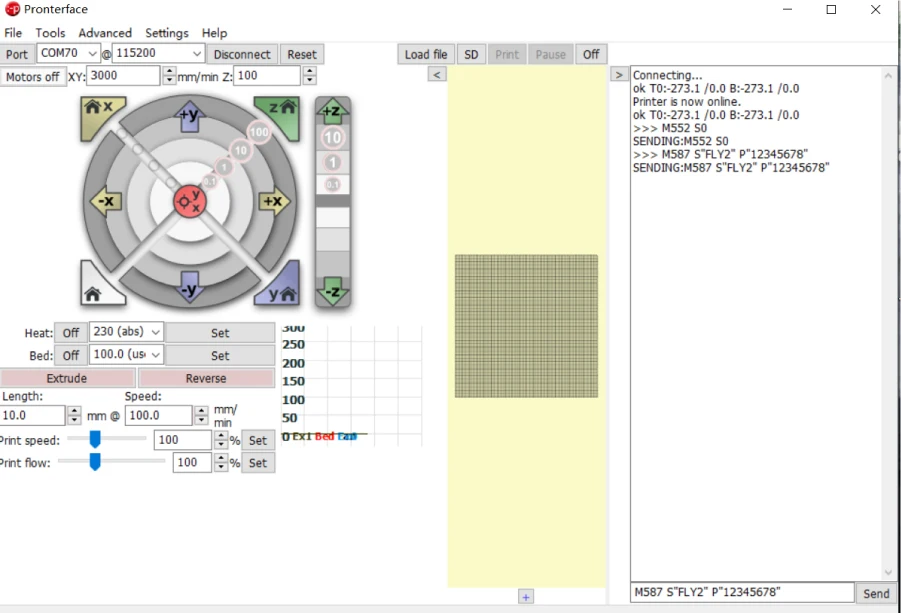
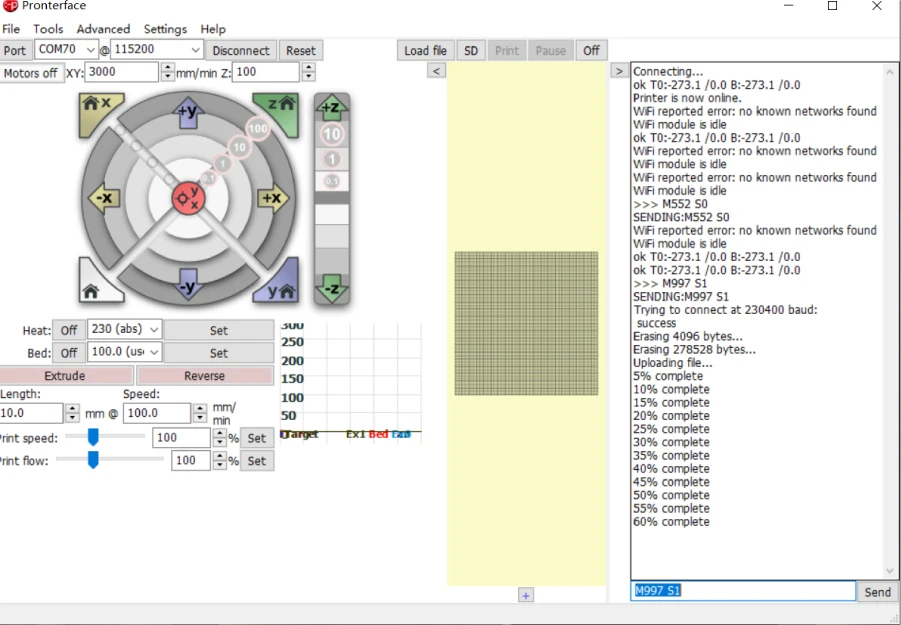
Open pronterface.exe to connect to the motherboard
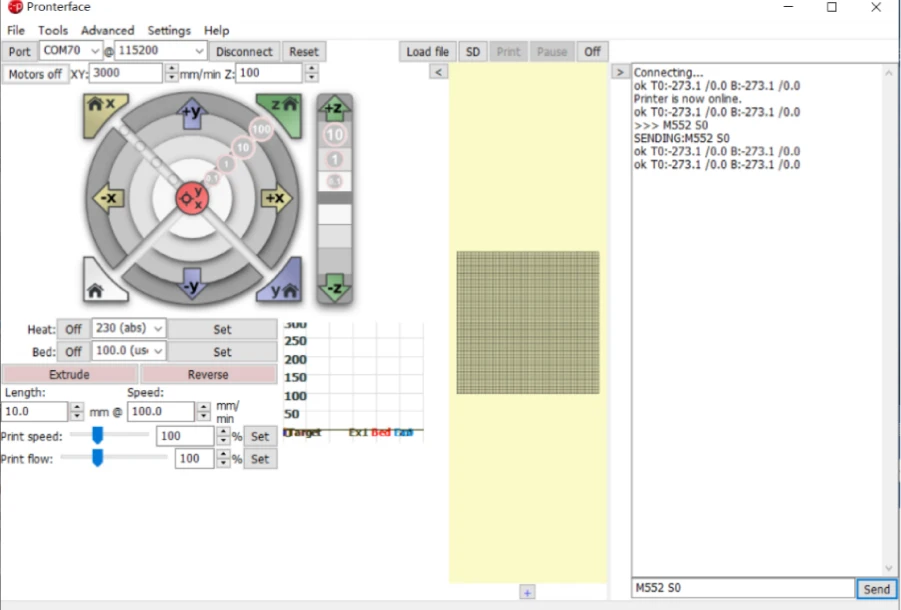
Send M552 S0 command to put wifi in idle mode
Send M587 S"your-network-ssid" P"your-network-password" command (After entering, the system will automatically remember the WiFi name and password) If your wifi password contains English lowercase, please add (') before the letter to configure according to the following example your-network-ssid: FLY2 your-network-password :fly12345 M587 S" FLY2" P"'f'l'y12345"
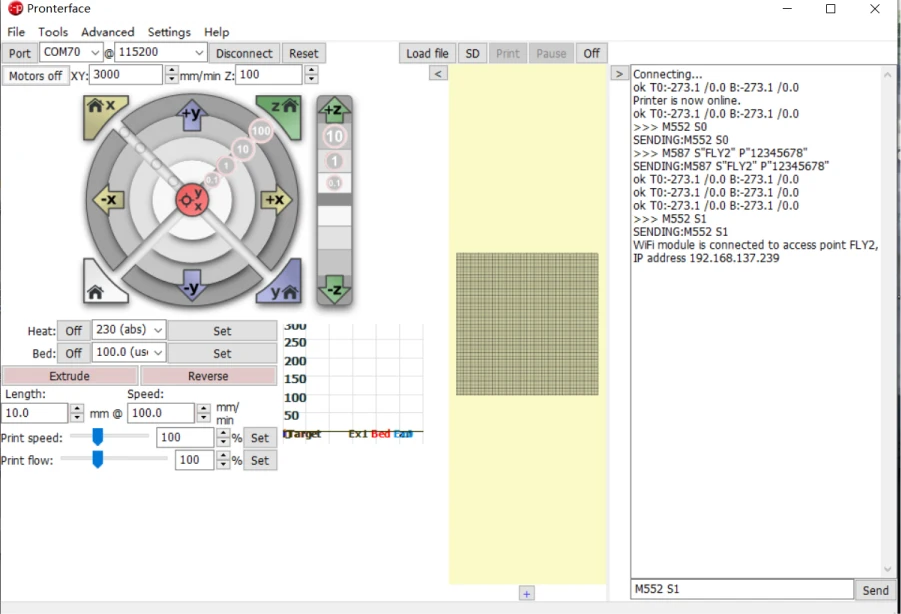
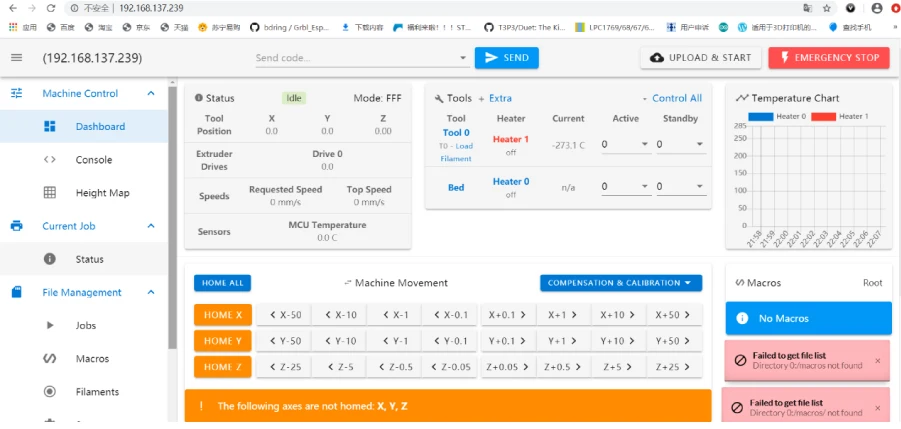
Then send M552 S1, turn on the network connection My network IP is 192.168.137.239, enter it into the browser
Then send M552 S1, turn on the network connection My network IP is 192.168.137.239, enter it into the browser
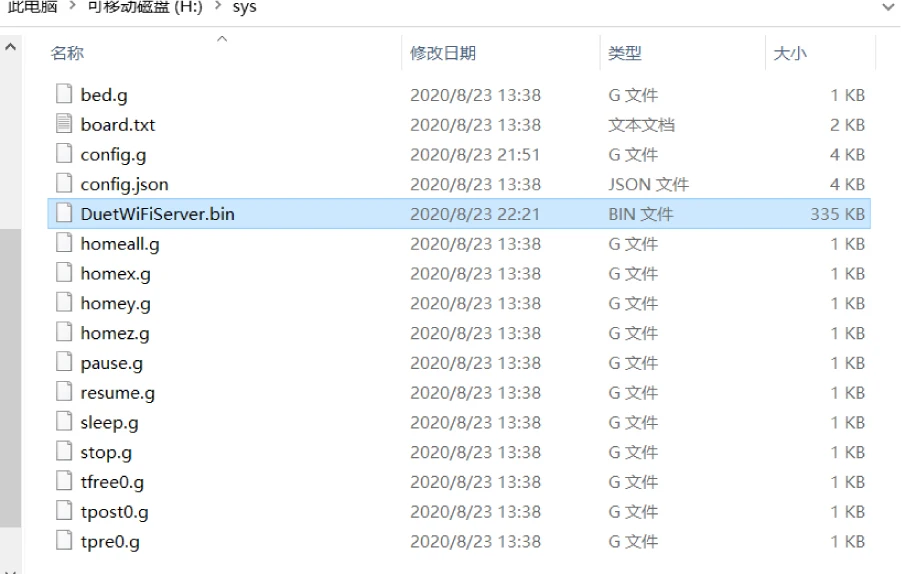
Wifi firmware download link: https://github.com/gloomyandy/DuetWiFiSocketServer/releases Please put the DuetWiFiServer.bin file into the SYS directory of the SD card
Insert the sd card back to the motherboard and open pronterface.exe Send command M552 S0 to put wifi in idle Send M997 S1 to update WIFI firmware After the update is complete, enter M552 S1 to start connecting to wifi